Sample environment guide
Overview
The sample environment allows to run parts of the pipeline with a smaller dataset, sampled from the original release. This sample is stored in GCS. You can run the pipeline with this sample data locally or in kubernetes.
The engineering team provides these samples for users to run the sampling pipeline
Two pipelines are defined in the sample environment:
- create_sample: Creates the sample data, (over)writing it in GCS.
- test_sample: Runs the pipeline from the embeddings step onwards with the sample data stored in GCS.
Run with sample data locally
Local tests using sample are done in the sample environment. They will pull the latest sample from GCS. When running locally, the release version is defined in the sample's environment's globals.yml file.
kedro run -e sample -p test_sample
Run with sample data in kubernetes
Alternatively, you can run the pipeline in kubernetes.
kedro experiment run -e sample -p test_sample --username {your-username} --release-version {your-release-version}
Update sample data
You can update sample data by running the create_sample pipeline locally. This will create a sample of the nodes and edges produced by a release of the integration layer. The release version can be found, and changed, in the sample/globals.yml file.
Make sure to use your own service account key file to get write access to the GCS bucket.
Warning
There is only one version of the sample data per release in GCS. Updating it means deleting the previous release's sample.
kedro experiment run -e sample -p create_sample --username {your-username} --release-version {your-release-version}
Sampling strategies
The sampling strategy is defined in the parameters.yml of the create_sample pipeline. This defines which child class of Sampler to inject in the code, the implementation can be found in the samplers.py file.
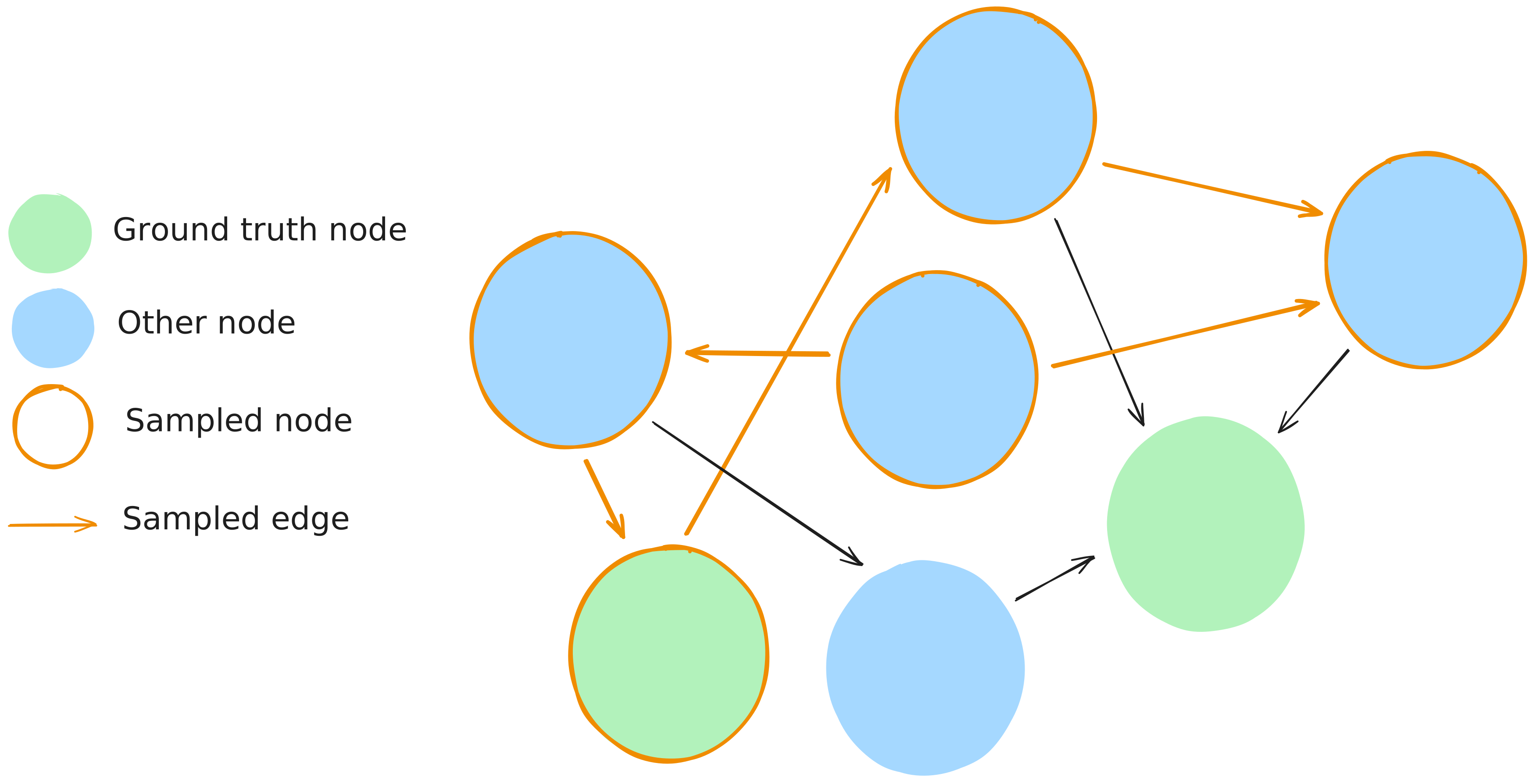
GroundTruthRandomSampler logic
Sample scale
With the fllowing parameters and input data, we are getting around 20k nodes and 75k edges in the output sample.
| Parameter | Value | Description |
|---|---|---|
| knowledge_graph_nodes_sample_ratio ∈ [0,1] | 0.005 | Ratio of nodes to randomly sample from the knowledge graph |
| ground_truth_edges_sample_ratio ∈ [0,1] | 0.01 | Ratio of edges to randomly sample from ground truth edges |
| seed | 42 | Random seed for reproducible sampling |
The input data contained 3.7M nodes, 18.8M edges and 53k ground truth edges.
Sampling logic
- Sample pairs of nodes from the ground truth edges respective of the
ground_truth_edges_sample_ratioparameter. - Sample nodes from the knowledge graph respective of the
knowledge_graph_nodes_sample_ratioparameter. - Define the sampled nodes as the union of the ground truth nodes and the knowledge graph nodes.
- Define the sampled edges as all the edges between the sampled nodes.