Kedro extensions
This page provides an overview of a few advanced Kedro features and customizations we've implemented in our project.
Dataset transcoding
Whilst we haven't customly implemented transcoding in our pipeline, we use it extensively across the codebase. Our pipeline uses Spark and Pandas interchangeably. To avoid having to manually convert datasets from one type into another, Kedro supports dataset transcoding.
In short, this feature allows for defining multiple flavors of a dataset in the catalog, using the syntax below. The advantage of this is that Kedro is aware that my_dataframe@spark and my_dataframe@pandas refer to the same data, and hence pipeline runtime dependencies are respected.
my_dataframe@spark:
  type: spark.SparkDataSet
  filepath: data/02_intermediate/data.parquet
  file_format: parquet

my_dataframe@pandas:
  type: pandas.ParquetDataSet
  filepath: data/02_intermediate/data.parquet
Data fabrication
Our pipeline operates on large datasets, as a result the pipeline may take several hours the complete. Unfortunately, large iteration time leads to decreased developer productivity. For this reason, we've established a data fabricator to enable test runs on synthetic data.
To seamlessly run the same codebase on both the fabricated and the production data, we leverage Kedro configuration environments.
Warning
Our pipeline is equipped with a base and cloud catalog. The base catalog defines the full pipeline run on synthetic data. The cloud catalog, on the other hand, plugs into the cloud environment.
To avoid full re-definition of all catalog and parameter entries, we're employing a soft merge strategy. Kedro will always use the base config. This means that if another environment is selected, e.g., cloud, using the --env flag, Kedro will override the base configuration with the entries defined in cloud. Our goal is to solely redefine entries in the cloud catalog when they deviate from base.
The situation is depicted below, in the base environment our pipeline will plug into the datasets as produced by our fabricator pipeline, whereas the cloud environment plugs into the cloud systems. Note that these commands need to be run in matrix/pipelines/matrix with the virtual environment activated.
# Pipeline uses the base, i.e., local setup by default.
# The `test` pipeline runs the `fabricator` _and_ the full pipeline.
kedro run -p test -e test

# To leverage cloud systems, you can use `cloud` environment.
# Note that we should only use `cloud` environment within our cloud cluster, NOT locally.
kedro --env cloud

Dependency injection
At the end of the day, data science code is very configuration heavy, and is therefore often flooded with constants. Consider the following example:
def train_model(
    data: pd.DataFrame,
    features: List[str],
    target_col_name: str = "y"
) -> sklearn.base.BaseEstimator:

    # Initialise the classifier
    estimator = xgboost.XGBClassifier(tree_method="hist")

    # Index data
    mask = data["split"].eq("TRAIN")
    X_train = data.loc[mask, features]
    y_train = data.loc[mask, target_col_name]

    # Fit estimator
    return estimator.fit(X_train.values, y_train.values)
While the code above is easily generalizable, its highly coupled to the xgboost.XGBClassifier object. We leverage the dependency injection pattern to declare the xgboost.XGBClassifier as configuration, and pass it into the function as opposed to constructing it within. See the example below:
# Contents of the parameter file, were indicating that
# `estimator` should be an object of the type `sklearn.base.BaseEstimator`
# that should be instantiated with the `tree_method` construction arg.
estimator:
    object: xgboost.XGBClassifier
    tree_method: hist
# inject_object() recognizes configuration in the above format,
# and ensures that the decorated function receives the instantiated
# objects.
from matrix.core import inject_object

@inject_object()
def train_model(
    data: pd.DataFrame,
    features: List[str],
    estimator: sklearn.base.BaseEstimator, # Estimator is now an argument
    target_col_name: str = "y",
) -> sklearn.base.BaseEstimator:

    # Index data
    mask = data["split"].eq("TRAIN")
    X_train = data.loc[mask, features]
    y_train = data.loc[mask, target_col_name]

    # Fit estimator
    return estimator.fit(X_train.values, y_train.values)
def create_pipeline(**kwargs) -> Pipeline:
    return pipeline(
        [
            node(
                func=train_model,
                inputs=[
                    ...
                    "params:estimator", # Pass in the parameter
                    ...
                ],
                ...
            ),
            ...
        ]
The dependency injection pattern is an excellent technique to clean configuration heavy code, and ensure maximum re-usability.
How to request resource availability for a node?
We've implemented a mechanism to request Kubernetes resources directly from Kedro nodes. This is done through the ArgoNode wrapper, which is a wrapper around the Node class that allows us to request resources from the Argo workflow (HERE is the source code).
ArgoNode ensures that the resource requests are passed on to the Argo workflow that in turn requests nodes with the appropriate resources, provisioned by the Kubernetes cluster. If resources are not available, the run will fail.
ArgoNode has no effect on local runs - regardless of the resources requested, the nodes will run on the local machine.
ArgoResourceConfig
They implement identical functionality, with the only difference being that ArgoNode accepts an optional argo_config of type ArgoResourceConfig parameter (HERE is the source code). ArgoResourceConfig accepts the standard Kubernetes resource configuration parameters - requests and limits on CPU and memory, and number of GPUs.
class ArgoResourceConfig(BaseModel):
    """Configuration for Kubernetes execution.

    Default values are set in settings.py.

    Attributes:
        num_gpus (int): Number of GPUs requested for the container.
        cpu_request (float): CPU cores requested for the container.
        cpu_limit (float): Maximum CPU cores allowed for the container.
        memory_request (float): Memory requested for the container in GB.
        memory_limit (float): Maximum memory allowed for the container in GB.
    """

    num_gpus: int = KUBERNETES_DEFAULT_NUM_GPUS
    cpu_request: int = KUBERNETES_DEFAULT_REQUEST_CPU
    cpu_limit: int = KUBERNETES_DEFAULT_LIMIT_CPU
    memory_request: int = KUBERNETES_DEFAULT_REQUEST_RAM
    memory_limit: int = KUBERNETES_DEFAULT_LIMIT_RAM
Resource Defaults
Our Argo Workflow as well as ArgoNode are configured to request default resources defined in kedro4argo_node.py:
# Values are in GiB
KUBERNETES_DEFAULT_LIMIT_RAM = 52
KUBERNETES_DEFAULT_REQUEST_RAM = 52

# Values are in number of GPUs
KUBERNETES_DEFAULT_NUM_GPUS = 0

# Values are in number of cores
KUBERNETES_DEFAULT_LIMIT_CPU = 14
KUBERNETES_DEFAULT_REQUEST_CPU = 4
The defaults are configured to the experimentally determined optimal values close to full node sizes on the production cluster. This is because requesting exactly 64GiB of RAM would result in provisioning a node with 128GiB of RAM because of Kubernetes overhead, which is highly inefficient.
Together with defaults, we also provide a set of predefined ArgoResourceConfig instances such as ARGO_GPU_NODE_MEDIUM, which are defined here.
Users are encourages to use those nodes and request custom resource configurations only when necessary.
Dynamic pipelines
Note
This is an advanced topic, and can be skipped during the onboarding.
Tip
Kedro pipelines are usually limited to static layouts. However, often you find yourself in a position where you want to instantiate the same pipeline multiple times. Dynamic pipelines are used to control the layout of the pipeline dynamically. We recommend checking out the Dynamic Pipelines blogpost. This pipelining strategy heavily relies on Kedro's dataset factories feature.
Dynamic pipelines in Kedro allow us to do exactly this, it is a workaround that enables us to control the layout of the pipeline dynamically. We're doing that through the settings.py file. This file essentially provides a higher-order configuration mechanism, that can be used to create more complex pipelines.
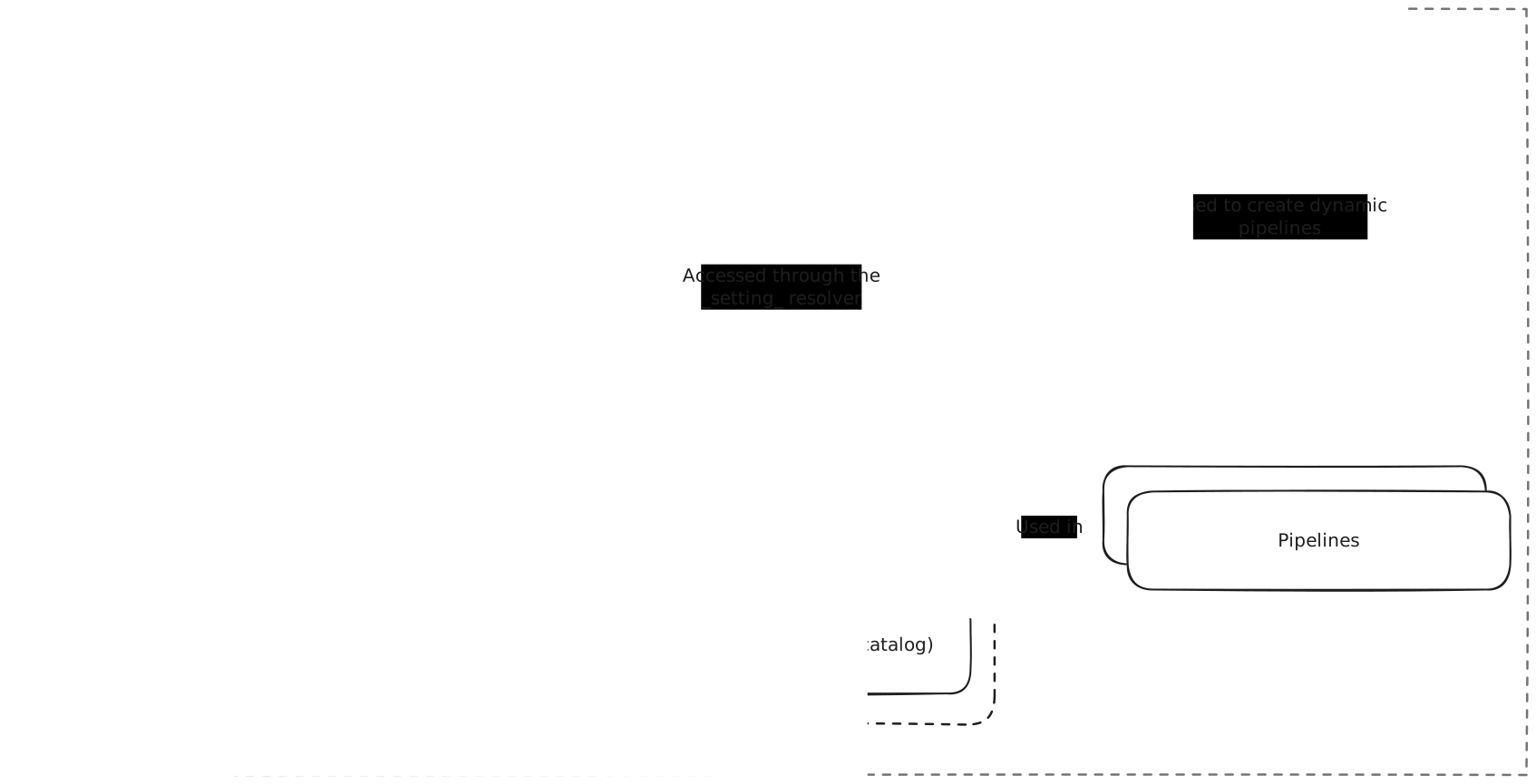
Example: Single pipeline to produce multiple models
Given the experimental nature of our project, we aim to produce different model flavours. For instance, a model with static hyper-parameters, a model that is hyper-parameter tuned, and an ensemble of hyper-parameter tuned models, etc.
We're defining a single pipeline skeleton, which is instantiated multiple times, with different parameters. The power here lies in the fact that our compute infrastructure now executes all these nodes in isolation from each other, allowing us to train dozens of models in parallel without having to think about compute infrastructure. We simply execute the pipeline and compute instances get provisioned and removed dynamically as we need them, greatly reducing our compute operational and maintenance overhead.

The above visualisation comes from kedro viz which we greatly recommend trying out to get a sense of the entire pipeline.
Disabling hooks through environment variables
Kedro hooks are powerful tools that allow us to execute code before and after various pipeline events. However, during local development or debugging, you might want to disable certain hooks (like MLflow logging) without modifying the code. We've implemented a flexible mechanism to disable hooks using environment variables.
How it works
-
Hooks are defined in
settings.pyas a dictionary:hooks = { "node_timer": matrix_hooks.NodeTimerHooks(), "mlflow": MlflowHook(), "mlflow_kedro": matrix_hooks.MLFlowHooks(), "spark": matrix_hooks.SparkHooks(), } -
The
determine_hooks_to_execute()utility function checks for environment variables that start withKEDRO_HOOKS_DISABLE_followed by the uppercase hook name. If such an environment variable exists, the corresponding hook is disabled.
Usage examples
To disable specific hooks, set the corresponding environment variable before running your Kedro pipeline, e.g. in the .env file:
# Disable multiple hooks
KEDRO_HOOKS_DISABLE_MLFLOW=1
KEDRO_HOOKS_DISABLE_NODE_TIMER=1

# Run your pipeline
kedro run
This is particularly useful when: - Running locally without needing MLflow tracking - Reducing overhead during development - Running the pipeline in environments where certain services are unavailable (e.g. Google Colabs)
Note
The value of the environment variable doesn't matter - its mere presence is enough to disable the hook. You can use any value like 1, true, or even an empty string.
End of the kedro extensions tutorial
We hope you've learned the basics of kedro extensions in our project, and are ready to contribute! If you want to learn about some specific activities, please check the walkthroughs section.
Info
If you are interested in learning more about those extensions, you can check our walkthrough for the fabricator, data catalog & transcoding or a deep dive into Kedro Dataset workflow - Deep Dive..